

Zapier 2026 Lets be real in 2026, if you’re still manually shuffling data between apps or copying and pasting information day in and day out, you’re not just wasting time – you’re leaving productivity, and probably a good chunk of your sanity, on the table. The digital world moves fast, and so should your workflows. That’s where a tool like Zapier steps in, not just as a convenience, but as a genuine game-changer.
We’ve all been there: a mountain of repetitive tasks that eat into your day, leaving less time for the truly impactful work. Imagine being able to connect your email, CRM, project management tool, and even your accounting software, all so they talk to each other seamlessly. No more forgotten leads, no more missed follow-ups, and certainly no more mind-numbing data entry. Sounds like a dream, right? Well, it’s a reality with Zapier, and in this deep dive, we’re going to explore how this automation powerhouse can transform the way you work.
What Exactly Is Zapier?
Think of Zapier as the ultimate digital translator for your various software applications. It’s a web-based automation tool that allows you to connect over 6,000 different apps and create automated workflows which they call Zaps without needing to write a single line of code.
Essentially, a Zap works on a simple if this, then that principle. You set up a “trigger” in one app, and when it occurs, Zapier automatically performs an “action” in another app.For instance, if you get a new email in Gmail (trigger), Zapier could automatically create a new task in Asana (action). It’s all about making your apps work together, freeing you up from manual grunt work.
Why Automate? The Unsung Benefits of Efficiency
Before we dive into the nitty-gritty of Zapier’s features, let’s touch upon why automation is so crucial in today’s fast-paced environment.
- Time Savings: This is the most obvious benefit. By automating repetitive tasks, you free up countless hours that can be redirected to strategic planning, creative work, or client engagement.
- Reduced Errors: Manual data entry is prone to errors. Automation ensures consistency and accuracy, leading to cleaner data and more reliable processes.
- Increased Productivity: When routine tasks are handled automatically, your team can focus on higher-value activities, boosting overall productivity and output.
- Improved Workflows: Automation helps streamline complex processes, making them more efficient and less bottlenecked.coupons.deepdiveinsight
- Scalability: As your business grows, manual processes become unsustainable. Automation makes it possible to scale operations without a corresponding increase in workload.
Diving Deep into Zapier’s Core Features
Zapier isn’t just about simple connections; it’s a robust platform with a lot to offer.
The Power of Zaps: Triggers, Actions, and Paths
The heart of Zapier lies in its Zaps. Each Zap consists of at least one trigger and one action.
- Triggers: These are the events that start your automation.. Examples include “New email in Gmail,” “New lead in Salesforce,” or “New row in a Google Sheet.”
- Actions: asks that Zapier performs once a trigger occurs.Examples include “Create a task in Asana,” “Send a Slack message,” or “Add a row to a Google Sheet.”
Beyond simple triggers and actions, Zapier offers advanced features like “Paths.” Paths allow you to create conditional logic within your Zaps, meaning different actions can be taken based on specific criteria. For example, if a new lead comes in from a specific source, you might send them a personalized email and assign them to a particular sales rep, while leads from another source get a different set of actions. This level of customization is incredibly powerful for complex workflows.
App Integrations: The Ecosystem That Powers Automation
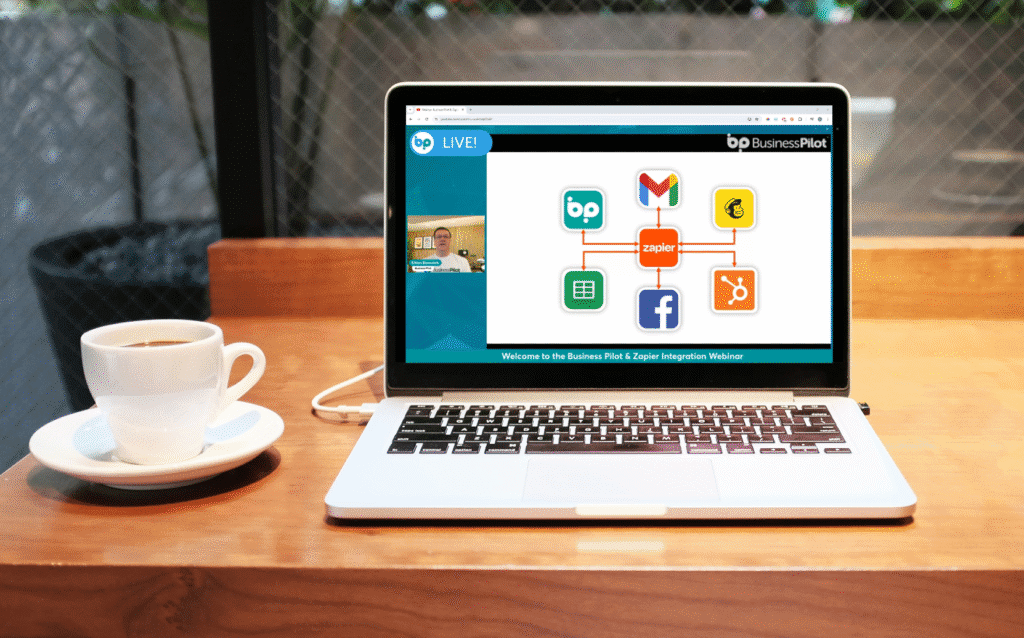
This is where Zapier truly shines. With integrations for over 6,000 apps, the possibilities are virtually endless. From popular tools like Google Workspace, Microsoft Office 365, Slack, Salesforce, HubSpot, and Mailchimp, to niche industry-specific software, Zapier likely connects to the apps you’re already using.
The breadth of integrations means you can automate workflows across virtually every department in your organization – sales, marketing, customer service, HR, finance, and operations. DeepDiveInsight
Data Formatting and Filters: Refining Your Automation
Not all data is created equal, and sometimes you need to manipulate it before it gets passed to the next app. Zapier’s built-in formatting tools allow you to:
- Format Text: Change case, extract specific information, or combine text strings.
- Format Numbers: Perform calculations, format currencies, or round numbers.
- Format Dates and Times: Convert timezones, adjust date formats, or add/subtract time.
Filters allow you to set conditions that must be met for a Zap to continue running. For example, you might only want to create a new task if a lead’s company size is above a certain threshold. This ensures your Zaps are smart and only act when necessary.
Webhooks: The Ultimate Custom Connection
For advanced users or when a direct integration isn’t available, Zapier’s Webhooks feature acts as a bridge. Webhooks allow you to send and receive data from virtually any web application, as long as it supports webhooks. This opens up a world of possibilities for custom integrations and highly specific automation needs.
Who Can Benefit from Zapier?
The beauty of Zapier is its versatility. Almost anyone can benefit from its automation capabilities:
- Small Business Owners: Automate lead capture, email marketing, social media posting, and customer service follow-ups.
- Marketers: Streamline content distribution, lead nurturing, and data synchronization between marketing tools.
- Sales Teams: Automate CRM updates, follow-up reminders, and proposal generation.
- Project Managers: Automate task creation, progress tracking, and notification management.
- Freelancers: Automate invoicing, client onboarding, and portfolio updates.
- HR Professionals: Automate onboarding workflows, manage documents, and streamline employee communication..
- Anyone Tired of Repetitive Tasks: If you find yourself doing the same thing over and over across different apps, Zapier is for you!

The Future of Work is Automated
In 2026, automation isn’t a luxury; it’s rapidly becoming a necessity for staying competitive and sane in the digital landscape. Zapier offers an accessible, powerful, and incredibly versatile solution to a problem many businesses and individuals face: how to make all your disparate tools work together harmoniously.
By offloading repetitive tasks to Zapier, you’re not just saving time; you’re investing in higher quality work, reduced errors, and ultimately, a more productive and less stressful professional life. If you haven’t explored the world of automation yet, now is absolutely the time. Give Zapier a try – you might just wonder how you ever managed without it. For more insights on the broader landscape of workflow automation and its impact on modern businesses, you might find this article on the benefits of business process automation helpfulGenerate Audio Overview.
Frequently Asked Questions
Is Zapier difficult to learn for a beginner?
Not anymore. In 2026, Zapier Copilot lets you build Zaps using plain English. Just describe your goal, and the AI maps the fields and logic for you no technical setup required.
How secure is my data in 2026?
Very secure. Zapier is SOC 2 Type II compliant. New AI Guardrails automatically detect and redact sensitive info like SSNs before it ever reaches a third-party AI model.
What if an app I use isn’t integrated?
Use Zapier Central. In 2026, you can train an AI agent to interact with non-integrated apps by simply showing it how the app works, bypassing the need for traditional API coding.
Can Zapier replace my CRM or Project Management software?
For many in 2026, yes. With Zapier Tables and Interfaces, you can build a custom, automated CRM directly in Zapier, though it still works best as the glue for complex enterprise tools.