

Disclosure: Some links in this article are affiliate links. If you sign up through them, we may earn a small commission at no extra cost to you. We only recommend tools we’ve actually installed and used on our own sites.
Every WordPress site owner hits this question eventually. You’re staring at an upgrade prompt inside a plugin you installed for free, and you have to decide if the premium version is actually worth the yearly charge or if you’re just being upsold. We’ve made this call dozens of times across our own sites, sometimes the free version was genuinely enough, sometimes paying up turned out to be the smartest move we made that month. Here’s how we think about it now.
The Real Question Isn’t Free vs Premium
It’s “what does my site actually need right now.” A brand new blog with ten posts doesn’t need the same WordPress plugins as a site doing six figures in affiliate revenue. The premium version of any plugin solves a specific problem. If you don’t have that problem yet, you’re paying for a feature you’ll never touch.
SEO Plugins: Free Is Often Enough at First
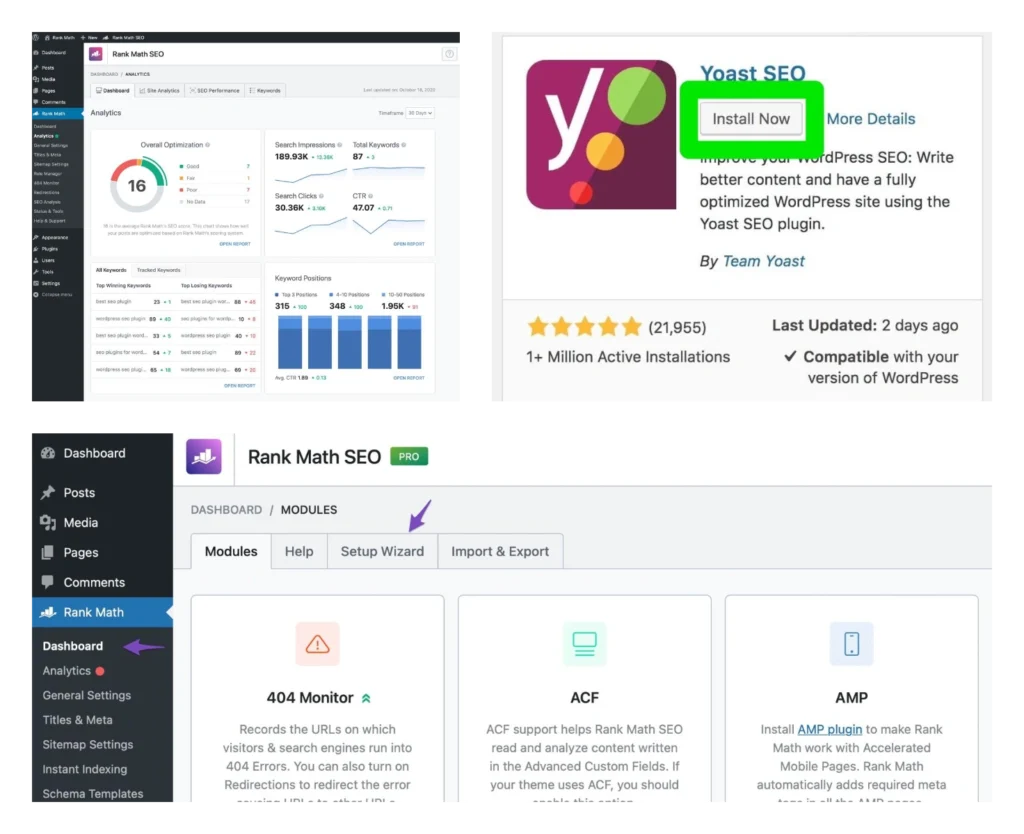
We covered this in detail in our Rank Math vs Yoast SEO comparison, but the short version applies here too. Rank Math’s free plugin already includes schema markup, unlimited focus keywords, and Search Console integration, features Yoast locks behind Premium. For a new site, the free version of Rank Math covers almost everything you need.
Where premium starts to matter: once you’re publishing regularly and want to track keyword rankings without paying for a separate tool, or once you’re managing more than one site and want one license instead of per site billing.
Caching and Speed Plugins: This Is Where Premium Usually Pays Off
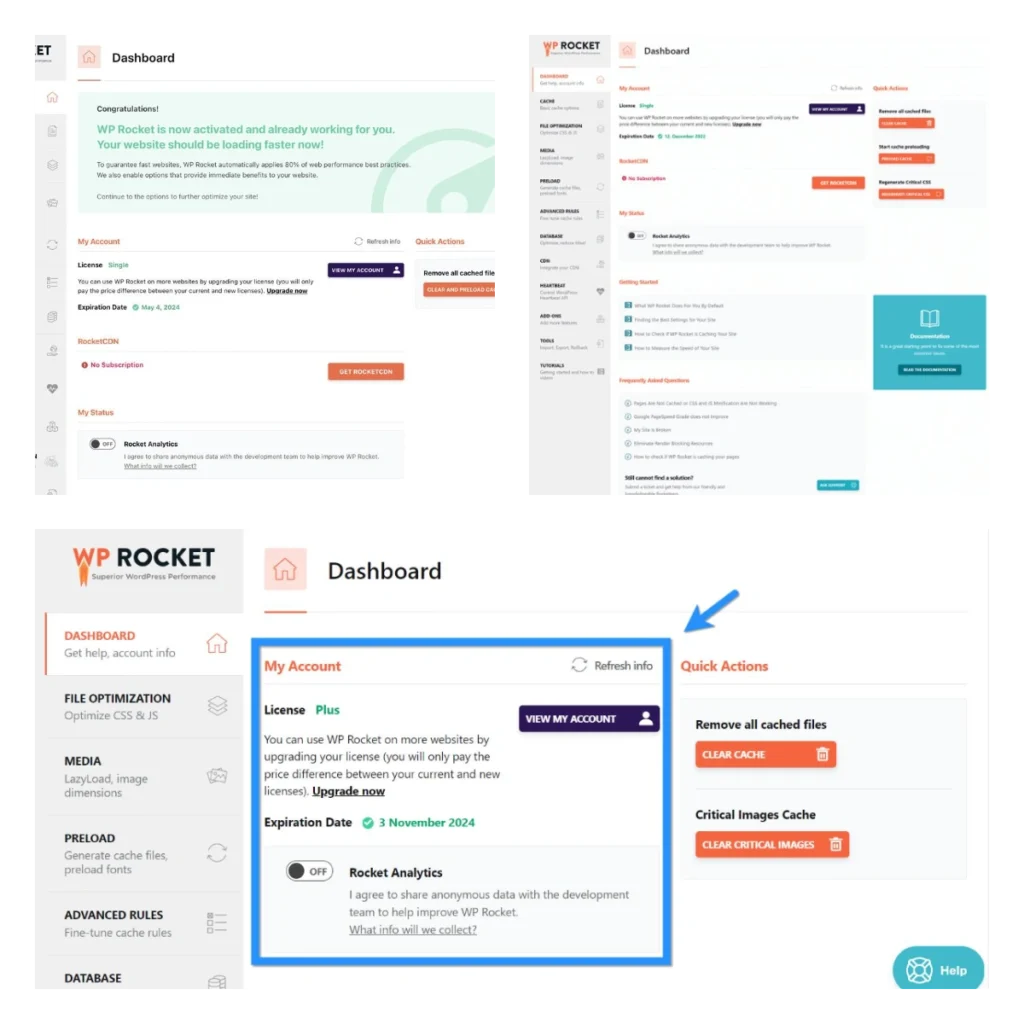
Free caching plugins exist, but the gap between free and premium widens fast in this category. WP Rocket, one of the most widely used premium caching plugins, handles page caching, cache preloading, database cleanup, and CDN integration in a setup that takes minutes instead of hours of manual configuration.
We tested a site on a free caching plugin for three months before switching. Page load time dropped noticeably after moving to a premium option, and Core Web Vitals scores improved enough to matter for both rankings and bounce rate. For any site that depends on organic traffic, page speed isn’t a nice to have. It directly affects whether people stay on the page long enough to click an affiliate link or read past the first paragraph.
Page Builders: Depends Entirely on What You’re Building
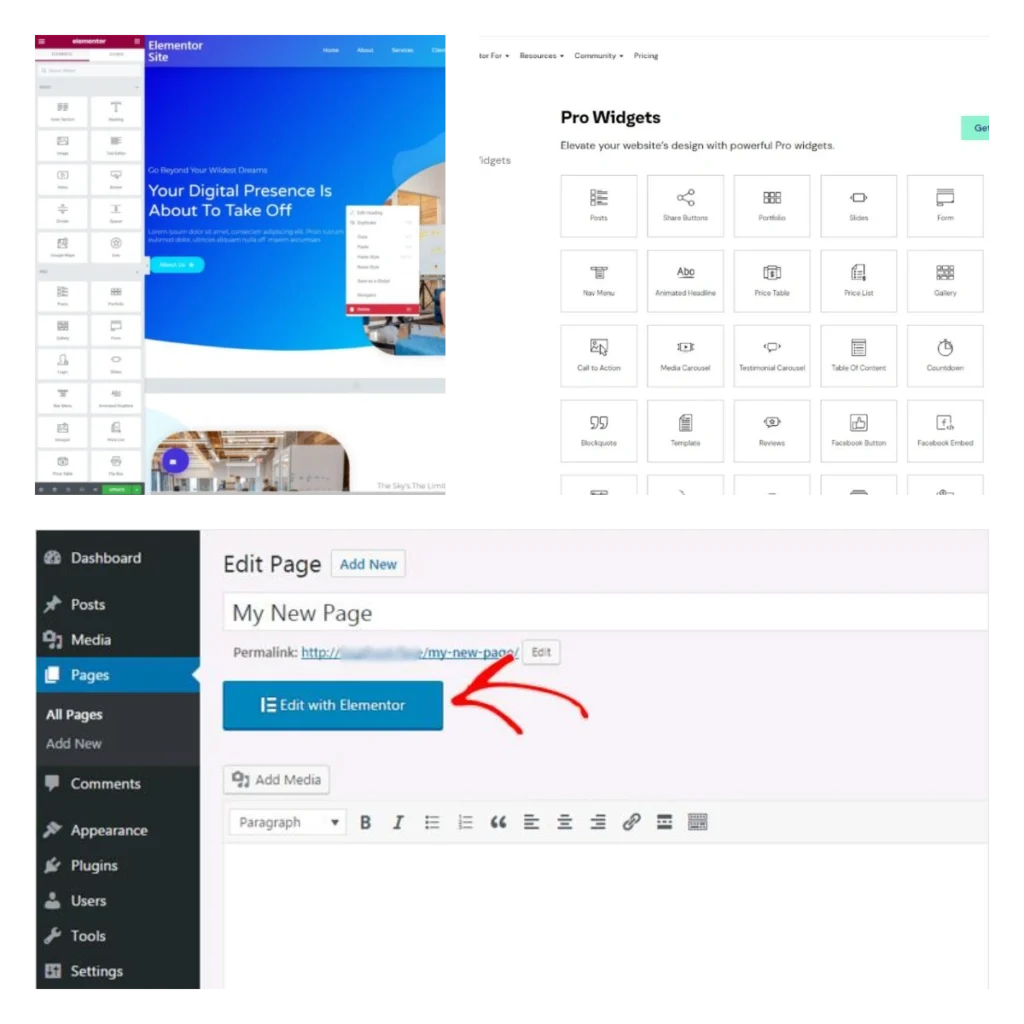
Elementor’s free version is genuinely capable for simple pages and basic layouts. Elementor Pro adds the theme builder, dynamic content, and a much larger widget library, useful if you’re building anything beyond a standard blog layout, like a custom landing page or a membership site with non-standard templates.
If your site is mostly blog posts and product comparison pages, you may never need the Pro version. If you’re building landing pages for lead generation or running an online store with custom product layouts, the Pro version pays for itself in time saved alone.
A Simple Framework Before You Upgrade
Before paying for any premium WordPress plugin, we ask three questions on our own sites:
Is the free version actually limiting me, or am I just curious about the Pro features? A lot of upgrade decisions come from FOMO, not an actual bottleneck.
Will this plugin save me money elsewhere? Rank Math Pro’s built in rank tracker replaces a separate subscription. WP Rocket replaces hours of manual speed optimization work. If a premium plugin consolidates tools you’d otherwise pay for separately, that’s a real argument for upgrading.
Does my traffic or revenue justify the cost? A $60 to $130 per year plugin is nothing for a site earning a few hundred dollars a month. It’s a real expense for a brand new site with no revenue yet. Match the spend to where your site actually is.
Pricing Snapshot for 2026
| Plugin | Free Version | Premium Starting Price |
| Rank Math | Feature rich, includes schema and Search Console | ~$72 to $108 per year, unlimited personal sites |
| WP Rocket | Not available, free alternatives exist | $59 to $599 per year depending on license size |
| Elementor | Capable for basic layouts | Pro starts around $59 per year for one site |
Prices move with seasonal sales across all three, so check the current rate before buying.
Our Honest Take
We don’t believe in upgrading every plugin to Pro just because it exists. Half the WordPress plugins on a typical site run perfectly fine on the free tier for the entire life of the site. The plugins worth paying for are the ones solving a problem you can actually measure: faster load times, better rankings, fewer hours spent on manual setup. If you can’t point to what the premium version specifically fixes for your site, the free version is probably still the right call.
Frequently Asked Questions
Do free WordPress plugins get fewer updates than premium ones?
Not necessarily. Popular free plugins like Rank Math’s free tier get the same core updates as the paid version. Premium tiers usually add feature updates rather than security patches.
Is it safe to mix free and premium plugins on the same site?
Yes, this is normal. Most sites run a mix, premium SEO plugin, free contact form, premium caching plugin, for example. Just keep the total plugin count reasonable to avoid conflicts.
Should a brand new site invest in premium plugins right away?
Generally no. Start with free versions, identify where you’re actually hitting limits, and upgrade only the plugins solving a real problem once your site has some traffic or content volume.
Which premium WordPress plugin gives the best return for an affiliate site? Based on what we’ve tested, a caching plugin like WP Rocket and an SEO plugin like Rank Math Pro tend to deliver the most measurable impact, since both directly affect rankings and user experience.